Virtual Facebow with an iPhone for CEREC & Exocad
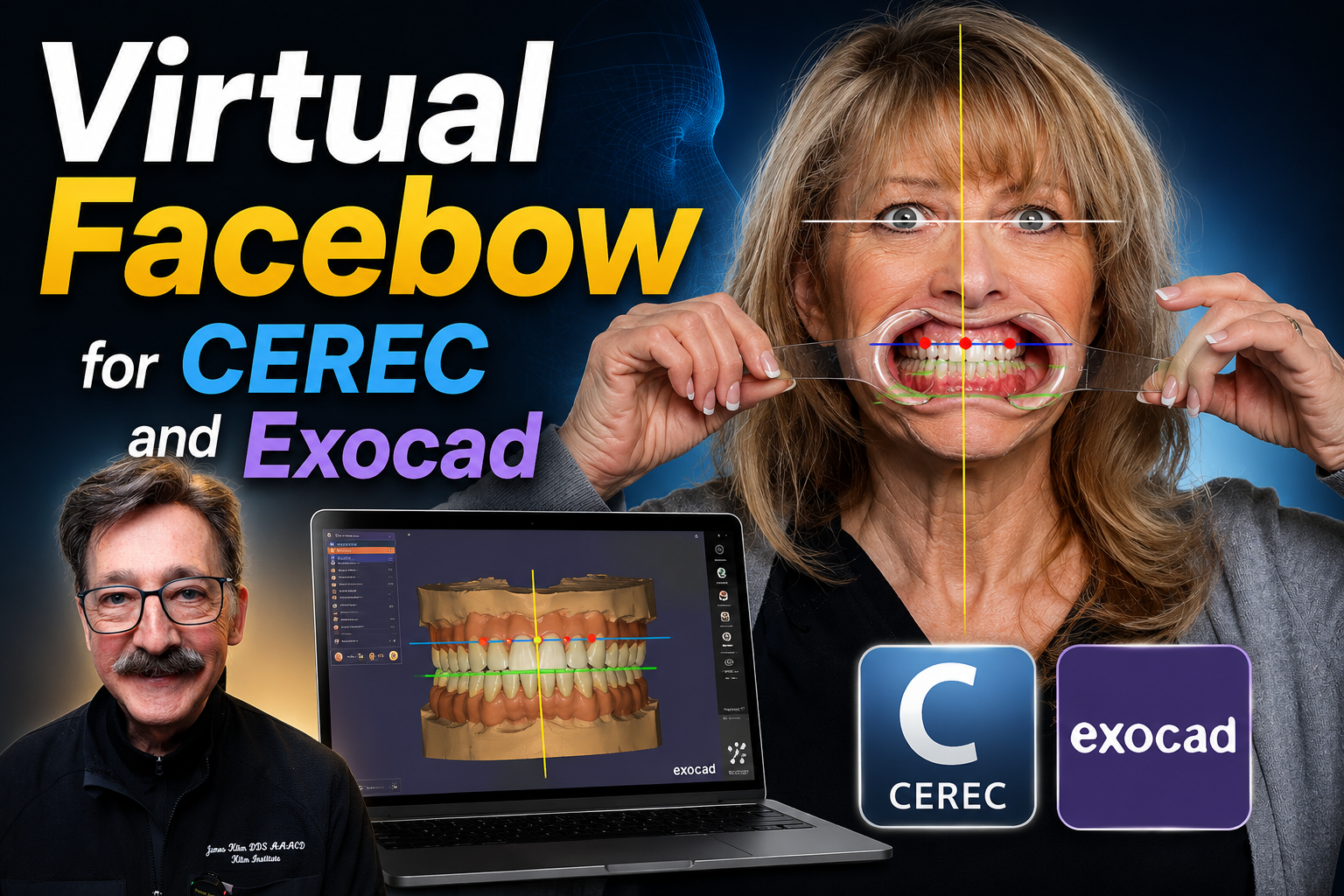
In this video, I'll show you how I use an iPhone to capture a facial alignment photograph that serves as a virtual facebow for orienting the model axis and establishing the correct smile plane. This simple technique is extremely valuable when designing restorations because it allows you to accurately position the midline and incisal edges before beginning your design.
The workflow you'll see is quick, easy, and requires nothing more than an iPhone. While Exocad includes the Face Scan feature, it performs best with a distortion-free photograph taken with a 100 mm macro lens in a controlled studio environment. I demonstrate that workflow in another video available on this training site.
This video is intended for those of you who either don't have a photography studio or simply need a fast, practical method for capturing a facial reference. Using an iPhone photograph, you'll learn how to establish the smile plane and place reference markers on the teeth that can then be aligned with the model axis during the design process.
This approach is especially valuable when using the View Options in CEREC and Exocad. By aligning the model to a properly oriented facial photograph and tooth reference markers, you can accurately establish the incisal edge position and facial midline before designing the restoration.
The facial midline is one of the most critical aesthetic references in any smile design. Whenever I'm restoring across the midline—or even fabricating a single central incisor—I always use this workflow to verify the facial axis and ensure that the restoration is positioned correctly from the very beginning.